PowpUp: Create
Spontaneous Events and
Flexible Space Hosting

PowpUp is a mobile app that allows users to create or join spontaneous events (called “PowpUps”) and discover bookable spaces instantly. It's designed for people who want real-life experiences without the pressure of extensive planning.

RoleProduct Designer
ToolsFigma
Year2025
ClientPowpUp
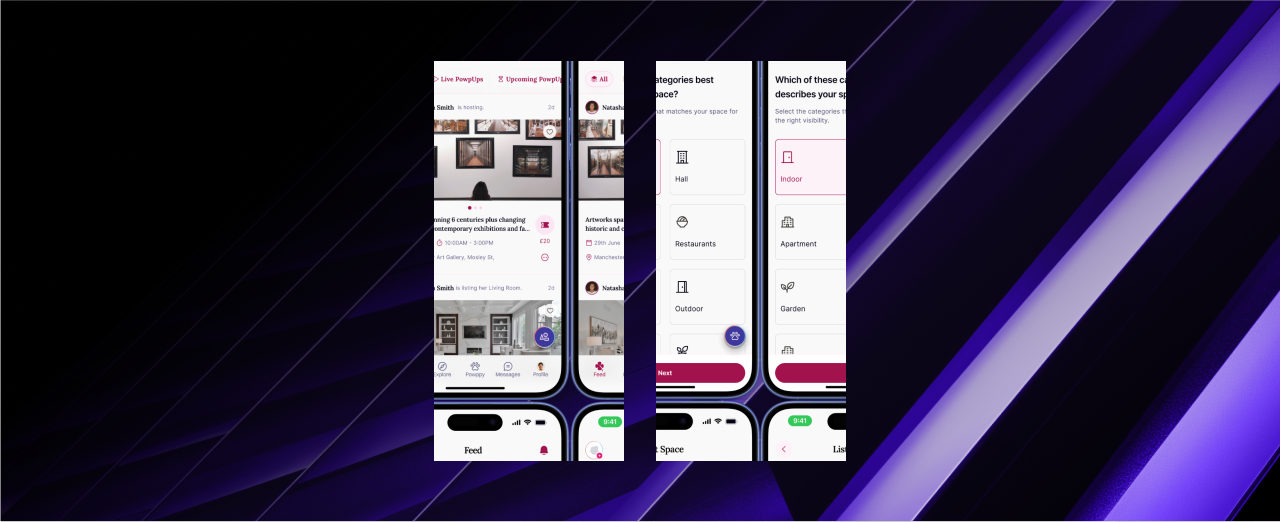
PowpUp mobile application hero screens
01

/ Overview

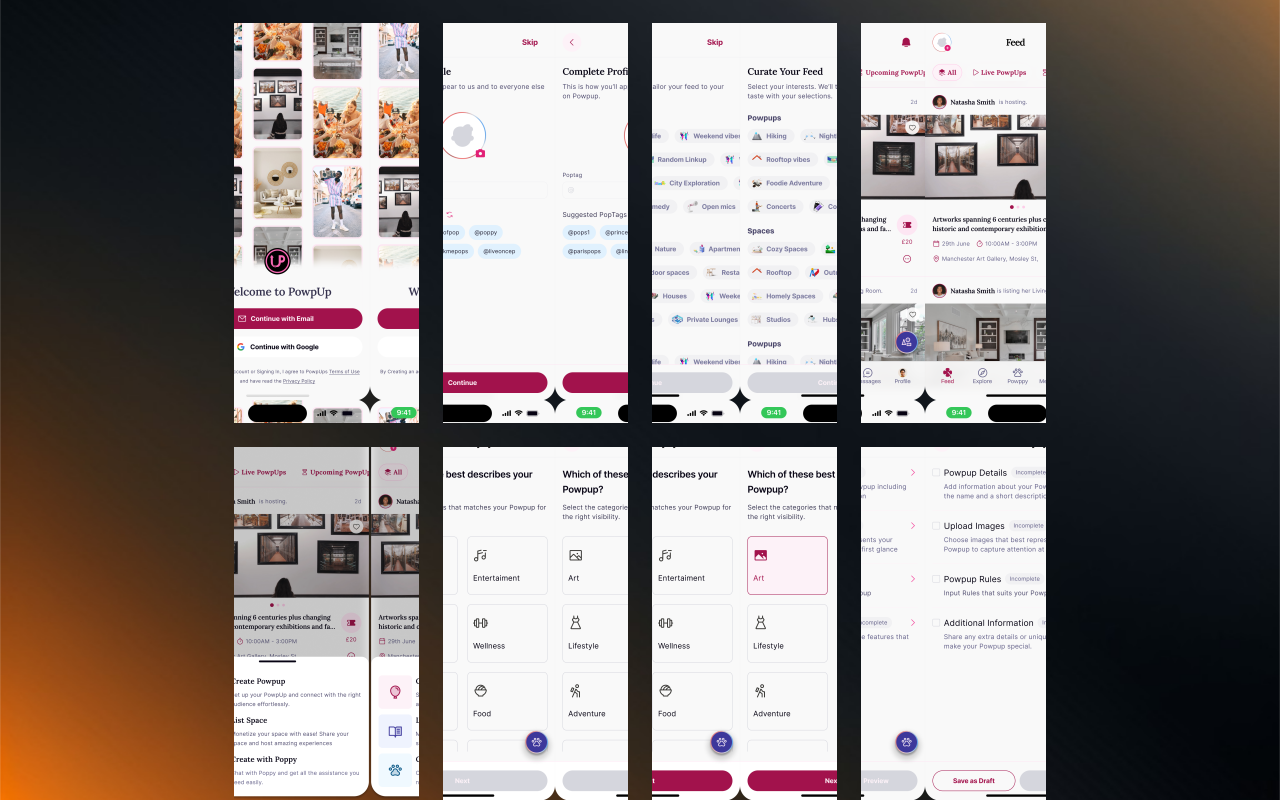
PowpUp is a mobile app that allows users to create or join spontaneous events and discover bookable spaces instantly.

The product brings event discovery and flexible space hosting into one experience, helping users move from “I want to do something” to a real plan with far less friction.

PowpUp mobile application overview screens
02

/ The Problem

Creating small-scale events and finding suitable spaces is unnecessarily difficult. From research and observation:

  • Event creation tools are often complex and time-consuming
  • People have ideas but do not know how to structure them
  • Personal spaces are difficult to list or monetize simply
  • Hosts struggle with visibility and audience reach
  • Attendees, logistics, and payments are fragmented
03

/ Solution

PowpUp introduces a dual-sided platform:

  1. PowpUps — create, explore, and attend events
  2. Spaces — list and book spaces for those events

Both journeys are supported by an AI assistant that helps users generate structured, high-quality listings instantly.

04

/ Design Goals & Objectives

Design a platform that:

  • Enables users to create or join events in real time
  • Makes listing and booking spaces feel effortless
  • Matches people by mood, interest, and location
  • Reduces planning stress through AI-powered suggestions
05

/ Research & Insights

I conducted interviews with young professionals and students who frequently experience fear of missing out or dislike rigid planning.

ScopeFeedbackHow it informed PowpUp
12 people interviewed
  • 80% wished for more spontaneous, real-world hangouts.
  • Introduced a real-time Explore feed showing active PowpUps and available spaces nearby.
  • Added mood-based filters for faster emotional alignment and simpler decisions.
Hosts and space owners
  • 65% had unused spaces they would consider sharing, but listing felt stressful.
  • Created a dedicated List Your Space flow separate from event creation.
  • Added AI support for event names, descriptions, and vibe tags.
06

/ Competitive Analysis

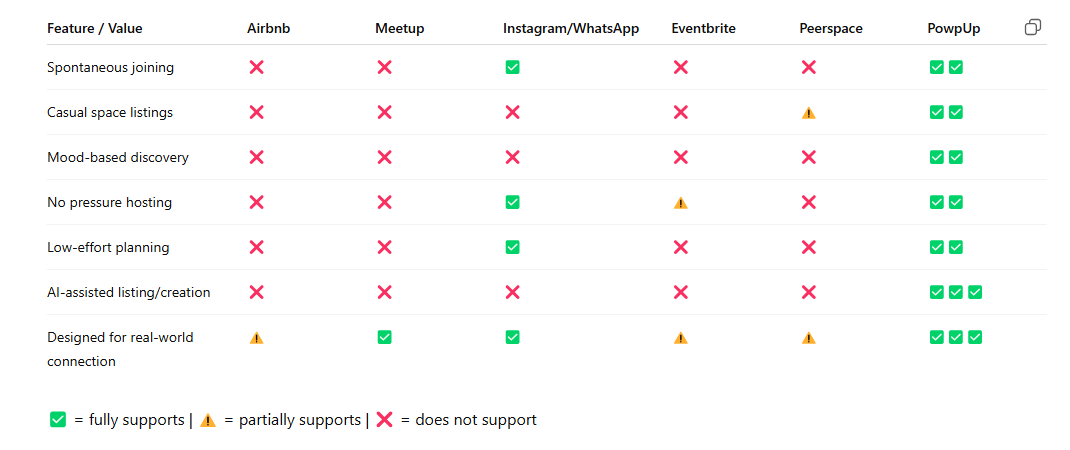
PowpUp is not just an event or rental app; it is a lifestyle platform for spontaneous connection and casual space-sharing.

It sits at the intersection of Airbnb, Meetup, Instagram, and Eventbrite while reducing complexity, pressure, and planning overload.

PowpUp competitive analysis matrix
07

/ Key Features

Onboarding

From the moment a new user downloads PowpUp, they are welcomed into an experience that feels fast, familiar, and personal. After a quick sign-up, the app introduces users to vibe tags, preferred interests, and preferred times.

Based on these inputs, the app tailors suggestions and notifications so users see PowpUps and spaces that match their lifestyle.
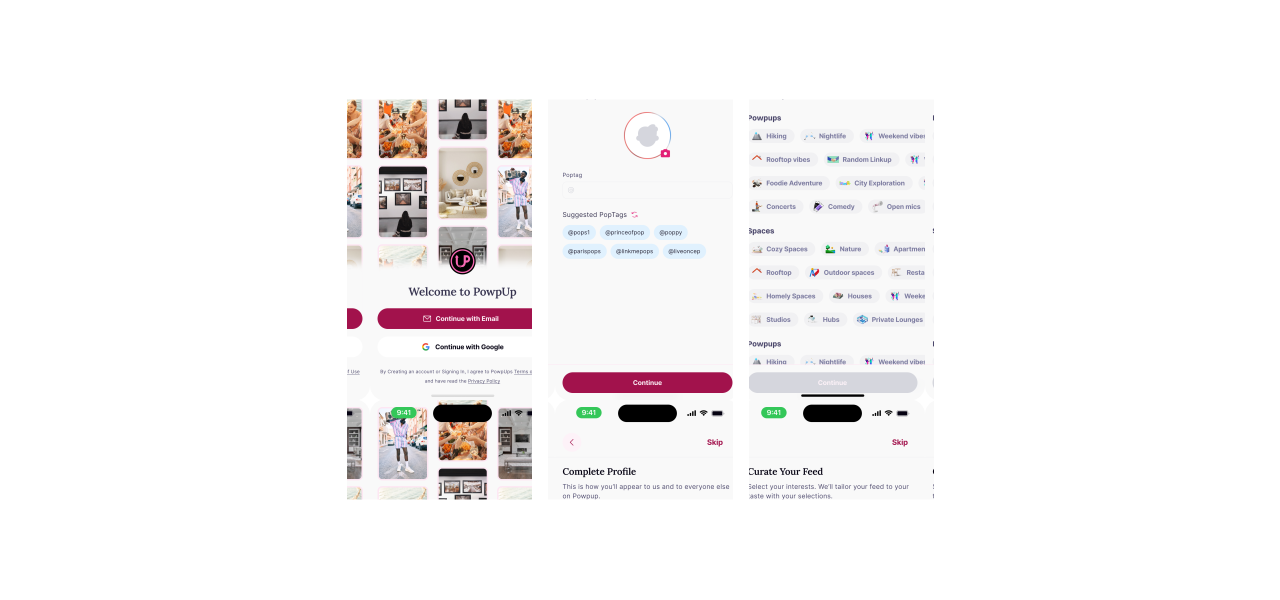
PowpUp onboarding interface screens

Feed

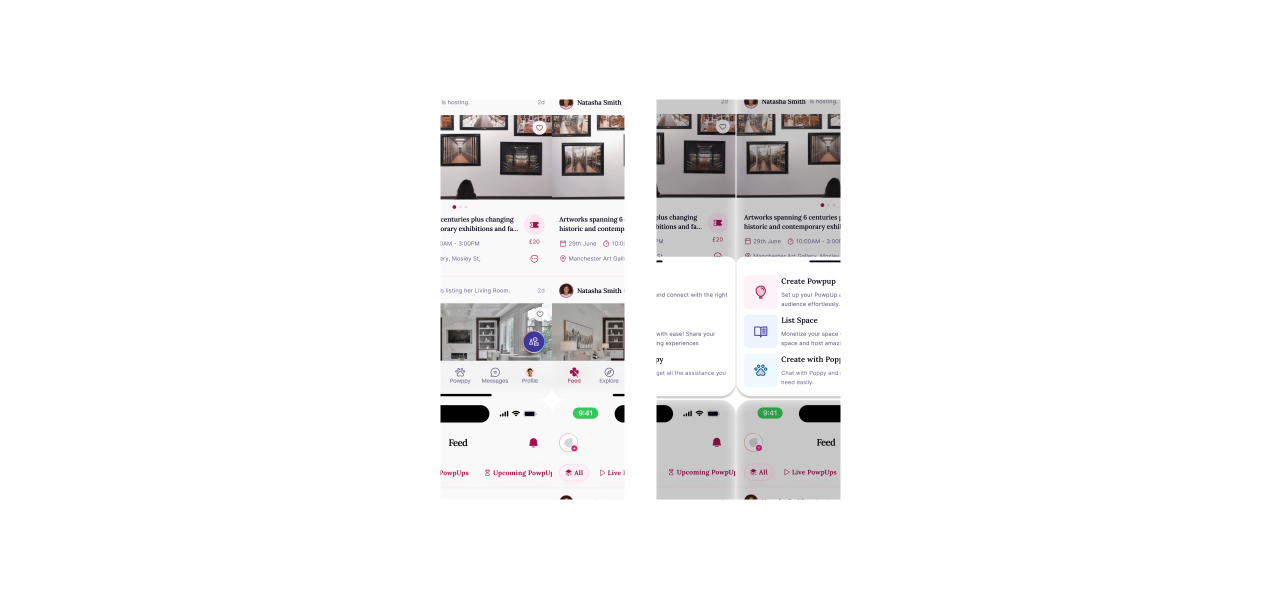
The main feed is dynamic, constantly showing nearby PowpUps or spaces that align with the user’s selected mood, availability, and social interests.

Cards are easy to preview—users can open details, message the host, or RSVP instantly, keeping discovery light and spontaneous.

PowpUp feed interface screens

Create a PowpUp

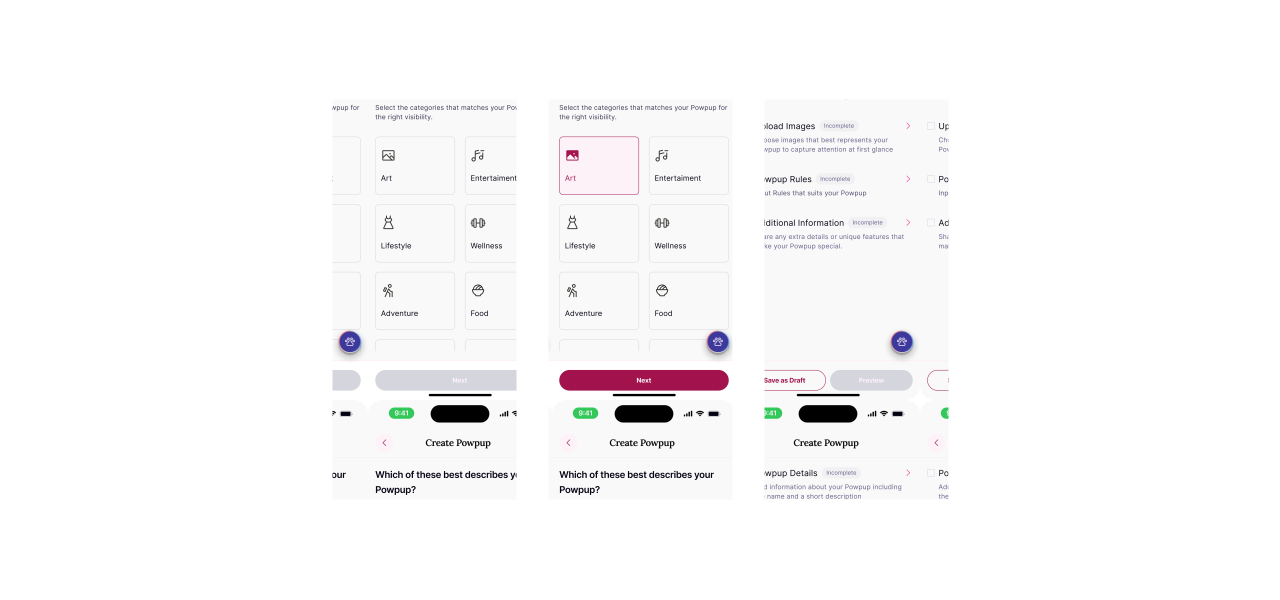
Creating a PowpUp is intentionally simple and expressive. Users begin by selecting a mood and naming their event, with the built-in AI assistant available to generate a starting point.

They choose a date and time, set visibility, add a short description and rules, then publish. The goal is to make organizing something feel more like posting a story than planning an event.

PowpUp create a powpup interface screens

List a Space

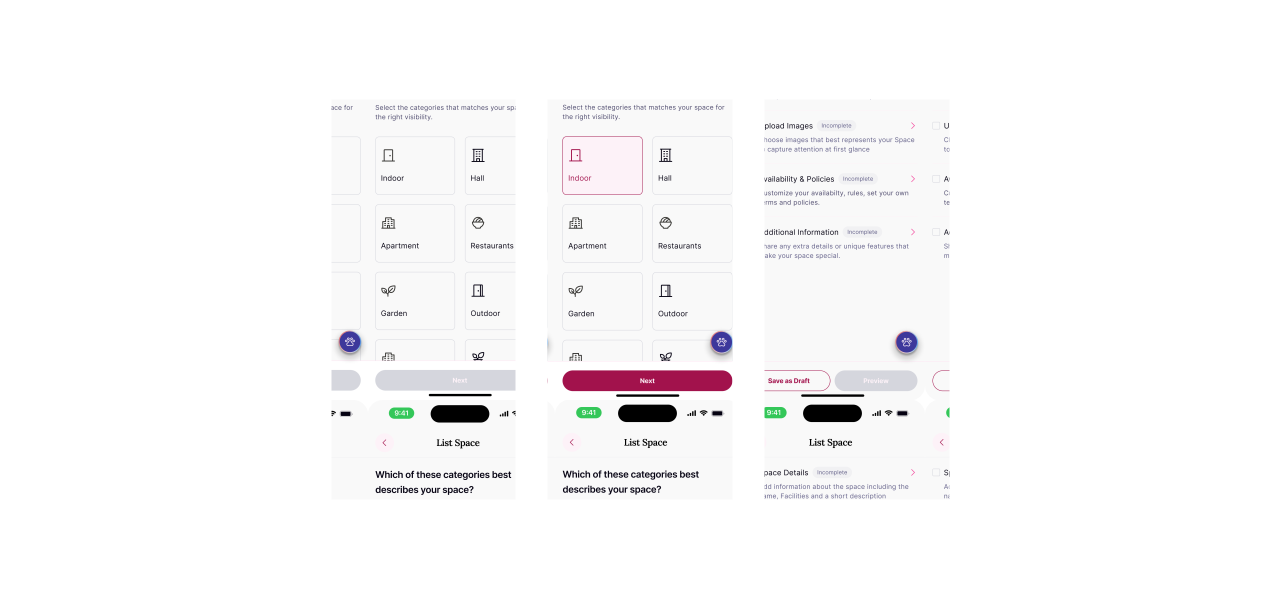
Users with an apartment, rooftop, studio, or backyard worth sharing can list their space in a few guided steps.

They add photos, a description, capacity, rules, availability, and pricing. Inclusive defaults make it clear that users do not need a large or formal venue to host.

PowpUp list a space interface screens

In App Messaging

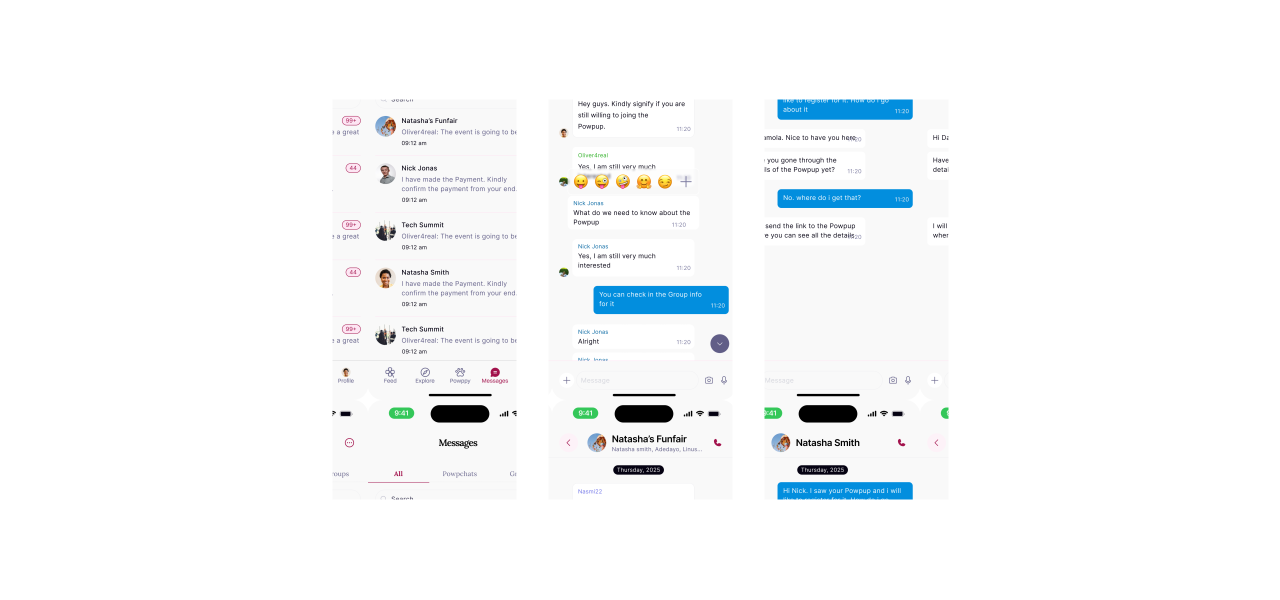
Once someone joins a PowpUp or books a space, they are added to a dedicated chat where attendees can coordinate, ask questions, and receive last-minute updates.

Users can also contact space hosts before booking, keeping communication out of scattered direct messages and inside the product experience.

PowpUp in-app messaging interface screens

AI Powered Assistant

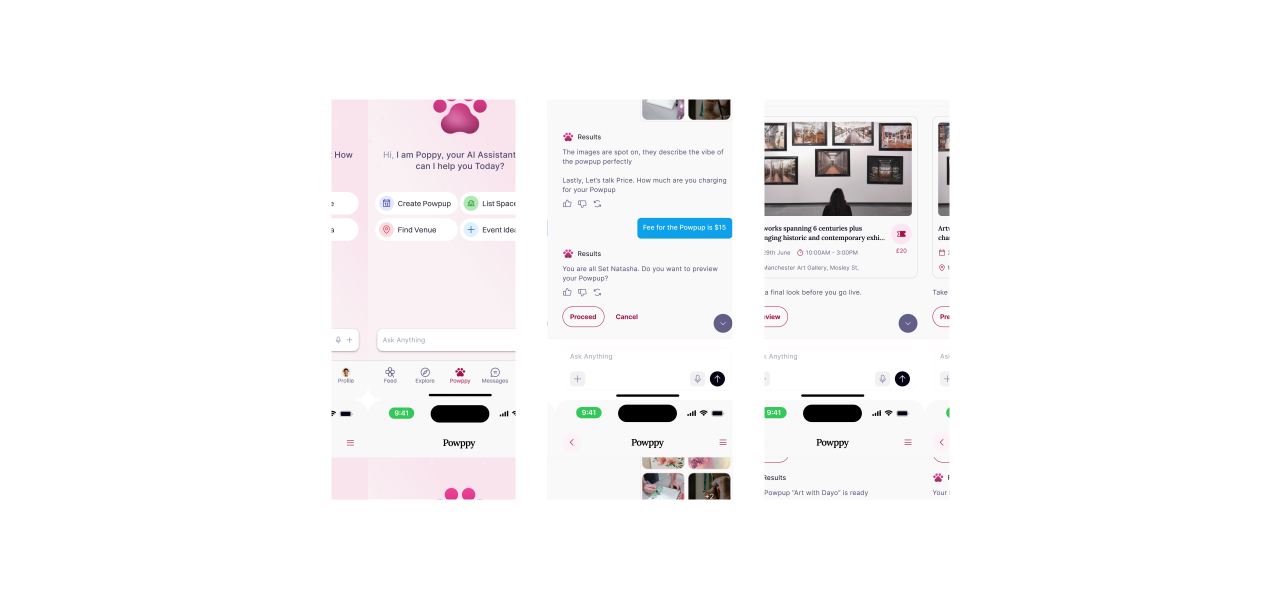
Whether a user is creating a PowpUp or listing a space, the AI assistant acts as a brainstorming partner. It can suggest titles, descriptions, discoverability tags, and event rules.

Suggestions adapt to mood, location, and category, helping users move from idea to publish-ready in seconds without overwhelming the core flow.

PowpUp ai assistant interface screens
06

/ Design Process

1. Research & Insights

  • User interviews
  • Competitive analysis
  • Pain-point synthesis

2. User Journey

  • Mapped the attendee and host journeys
  • Identified high-friction decision points
  • Defined the smallest viable actions

3. Wireframing

  • Low-fidelity concepts
  • Information architecture
  • Core task flows

4. UI Design

  • Visual language and component system
  • Accessible interaction states
  • Responsive prototypes

5. Usability Testing

  • Task-based prototype testing
  • Iteration from observed behavior
  • Final interaction refinements
07

/ Key Design Decisions

  1. 1. One Core Purpose, Not Add-ons

    Every surface reinforces spontaneous real-world connection. Features that did not directly improve discovery, hosting, or joining were removed from the primary flow.

  2. 2. Powerful Features Without Cognitive Overload

    Complex host and attendee tasks are progressively disclosed. Each screen asks for one clear decision, while the AI assistant remains supportive rather than dominant.

  3. 3. Designed Around Real-Life Spontaneity

    Time, proximity, mood, and availability shape discovery before popularity metrics. This keeps the product focused on what a user can actually do right now.

08

/ Challenges

  1. 1. Balancing Two User Types

    Hosts and attendees have different goals, so the experience needed distinct flows without feeling like two separate products.

  2. 2. Building Urgency Without Pressure

    The interface had to communicate that events were time-sensitive while avoiding scarcity patterns that create anxiety.

  3. 3. Making AI Feel Optional

    AI needed to remove blank-page friction without interrupting users who already knew exactly what they wanted to create.

  4. 4. Trust at First Use

    Clear host details, attendee visibility, and practical event information were essential for helping people commit to unfamiliar spaces and groups.

09

/ What I Learnt

  1. 1. Designing for Emotion, Not Just Tasks

    Spontaneous decisions are shaped by confidence and mood. Clear, reassuring language mattered as much as reducing the number of taps.

  2. 2. Feature Consolidation Creates More Value

    Combining discovery, hosting, and communication made the experience feel coherent and removed the need to coordinate across several products.

  3. 3. Small Moments of Context Reduce Friction

    Showing who is attending, when an event begins, and what to expect gave users enough certainty to act quickly.

  4. 4. Visual Design Must Support Behavior

    The interface works best when hierarchy directs users toward one immediate action instead of presenting every possible option at once.

  5. 5. The Best AI Feels Like Helpful Guidance

    AI was most effective when it accelerated an existing intent, not when it attempted to take ownership of the experience.